
Blog
Why Is My Vape Blinking? What the Light Means and How to Fix It
Nov
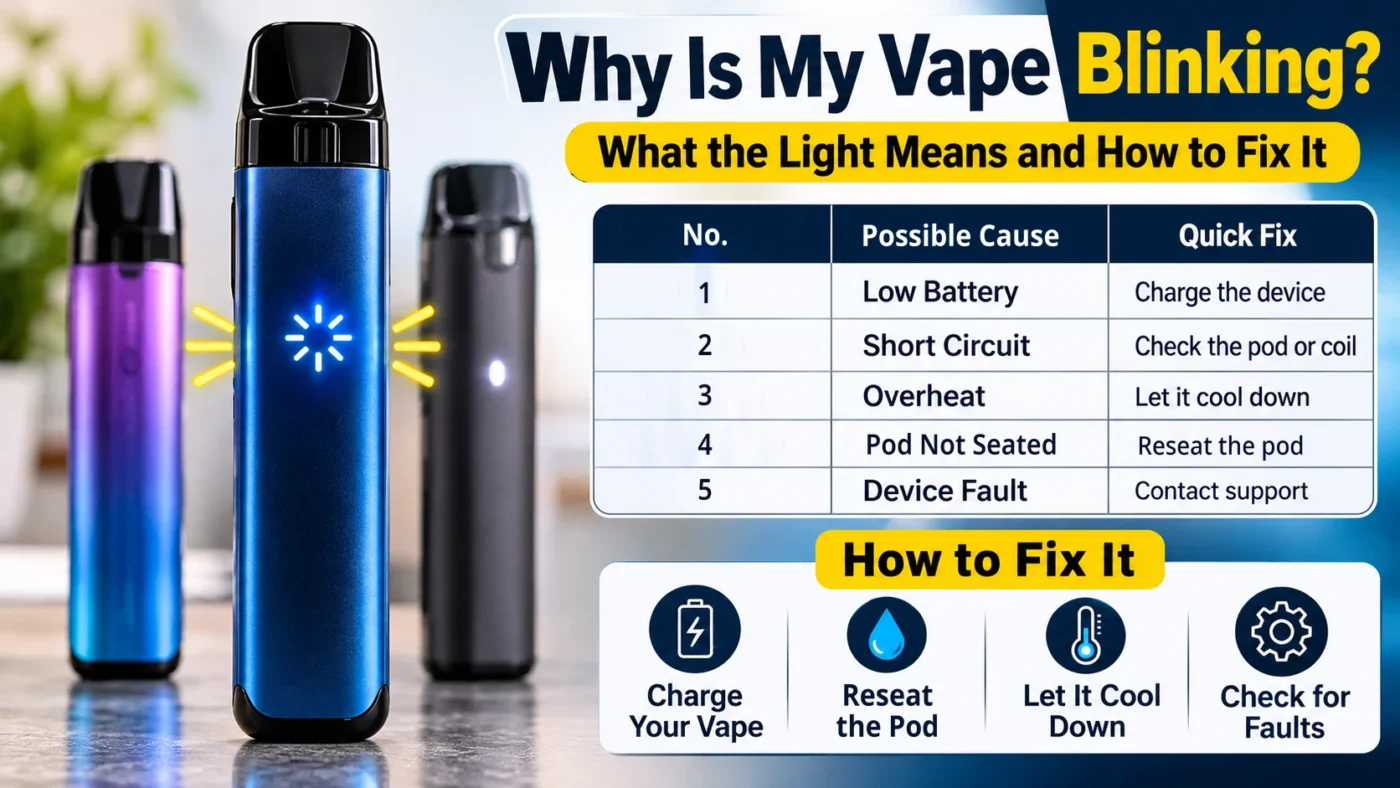
Why is my vape blinking? In most cases the light is telling you the battery is low or the pod isn’t sitting properly, and both take a minute to check. Work through the causes below in order, and keep your device’s own instructions close.
Why is my vape blinking?
Your vape is usually blinking because the battery is low or the pod isn’t seated properly. A blinking light is the device’s way of saying it can’t fire as normal, so check the charge first, then the pod, then the contacts, before you assume the device has failed.
On the Myle V4, for example, LED blinking often signals a low battery or a pod that’s out of place. For wider faults such as leaking, a burnt taste or no vapour, see our vape troubleshooting guide.
Does a blinking vape mean the battery is low?
Yes, a low battery is the most common reason a rechargeable vape blinks. On rechargeable models the light works as the battery indicator, so blinking is your cue to plug in, wait for a full charge, and try again before you look for any other fault.
Pod systems charge by USB-C, and the time to charge is when the battery indicator shows low power. Some newer devices carry a small digital display that shows battery life instead of a single light. Our pod systems guide explains how the battery and pod work together.
Why does my vape blink when I put the pod in?
Your vape blinks with the pod in when the pod isn’t making a clean connection. Take the pod out, check nothing is trapped underneath, then press it back in until it clicks. A pod or coil that sits even slightly loose breaks the electrical contact, and the device won’t fire.
If you’ve just opened a new pod, take off any silicone seal or tab first. Our disposable vs pod system guide shows what pod care involves from week to week.
Can dirty contacts make a vape blink?
Yes. E-liquid residue and dust on the contact points between the battery and the pod can interrupt the connection, so the light blinks and the device doesn’t fire. Wipe the pod base and the device contacts dry, let both parts dry completely, then reassemble carefully.
Use a soft cloth or tissue and keep water away, because liquid exposure can cause short circuits. A weekly wipe of the pod and battery connection points stops the problem coming back. Our vape maintenance guide sets out a simple weekly routine.
Why is my vape flashing and not charging?
A vape that blinks but won’t charge usually has a dirty charging port or a faulty cable. Clean lint and e-liquid residue from the port with a dry cotton swab, then try a different cable and charger. If nothing responds after a full charge attempt, the battery or board has likely failed.
Charge with the charger your device came with or a quality matched one, and plug into a wall socket instead of a laptop. Never leave it charging unattended or overnight, and unplug it as soon as it’s full. Our vape battery safety guide covers charging habits in detail.
Why is my disposable vape blinking?
A blinking light on a rechargeable disposable points to a low battery, so charge it through its charging port. A standard disposable has no port, so once it gives no vapour, tastes burnt or stops lighting up, the device is finished and it’s time to replace it.
A burnt taste means the liquid is empty, and no vapour means a dead battery. Disposables are sealed and shouldn’t be refilled. With a brand new device, remove every seal before your first puff, because blocked airflow leads to failed activation, and our first time disposable guide lists each one.
Can heat make a vape blink or cut out?
Heat can make a vape cut out, and some devices signal it with their light. Many newer devices include overheating protection and an automatic shut-off, so a hot device may refuse to fire. If yours feels hot, stop using it and let it cool naturally before you charge or vape again.
Dubai heat makes this more likely, so never leave a device in a parked car. Our battery safety page lists the steps to follow if a device overheats.
What do the blinks on your device mean?
The exact meaning of a blink pattern depends on your device, so the instructions that came in the box are the only reliable source. Brands use their lights differently, and a signal that means low battery on one device can mean something else on another. Check the manual before you guess.
If your device has a fire button, the manual also gives its button sequence, and many devices need five rapid clicks to switch on. A device that’s simply switched off can look like a fault.
When should you stop using a blinking vape?
Stop using it straight away if the blinking comes with unusual heat, a swollen battery, a cracked body or firing on its own. Those are safety faults, not something to fix at home. Remove the pod or tank, switch the device off, and don’t charge it or use it again.
A coil at the end of its life is a smaller problem: the device lights up but produces nothing, and a new coil or pod is the fix. Our vape coils guide explains when to change one. When a device is finished, keep it out of the bin and follow our vape disposal guide.
Is a blinking vape covered by warranty?
It can be. Our warranty covers manufacturing defects, including LED or indicator malfunctions, batteries that won’t charge and faulty charging ports or pod connections. It doesn’t cover physical damage, water damage or misuse, so get in touch with us before you attempt any repair yourself.
Vape devices are covered for 90 days from the purchase date. Our warranty policy sets out the full terms.
What else do Dubai vapers ask about a blinking vape?
Four questions come up most from vapers asking why is my vape blinking.
Why is my vape blinking after I charged it?
Check the pod next. Reseat it firmly, clean the contact points and confirm the device is switched on. If it still blinks, the pod or coil may need replacing.
Why is my new vape blinking?
A new pod may still have a seal or tab on it, or it may not be pressed in fully. Remove the seal and push the pod in until it clicks. If a device doesn’t work when you first open it, email us within 48 hours of delivery.
Can I keep vaping while the light blinks?
No, sort the cause first. A low battery gives weak vapour at best, and a blinking light with heat or swelling means stop.
Should I open a vape to fix a blinking light?
No. Opening or tampering with a device voids the warranty, and disposables are sealed.
That’s the short answer to why is my vape blinking: charge it, reseat the pod, clean the contacts, and check the manual for your device’s own signals. If the light keeps blinking after all four, treat it as a fault and get in touch with us.
Vaping products in the UAE are sold to adults aged 18 and over. Vapes contain nicotine, which is addictive. Keep every device and pod away from children.
